
Customize OIDC Scope
Usage scenarios
Customize the user information returned by the ID Token by customizing the Scope and the Claims in it.
OIDC Scope Function Configuration
After creating a self-built application, you can find the "OIDC" function area under the "Protocol Configuration" function area and find the "OIDC Scope Configuration".
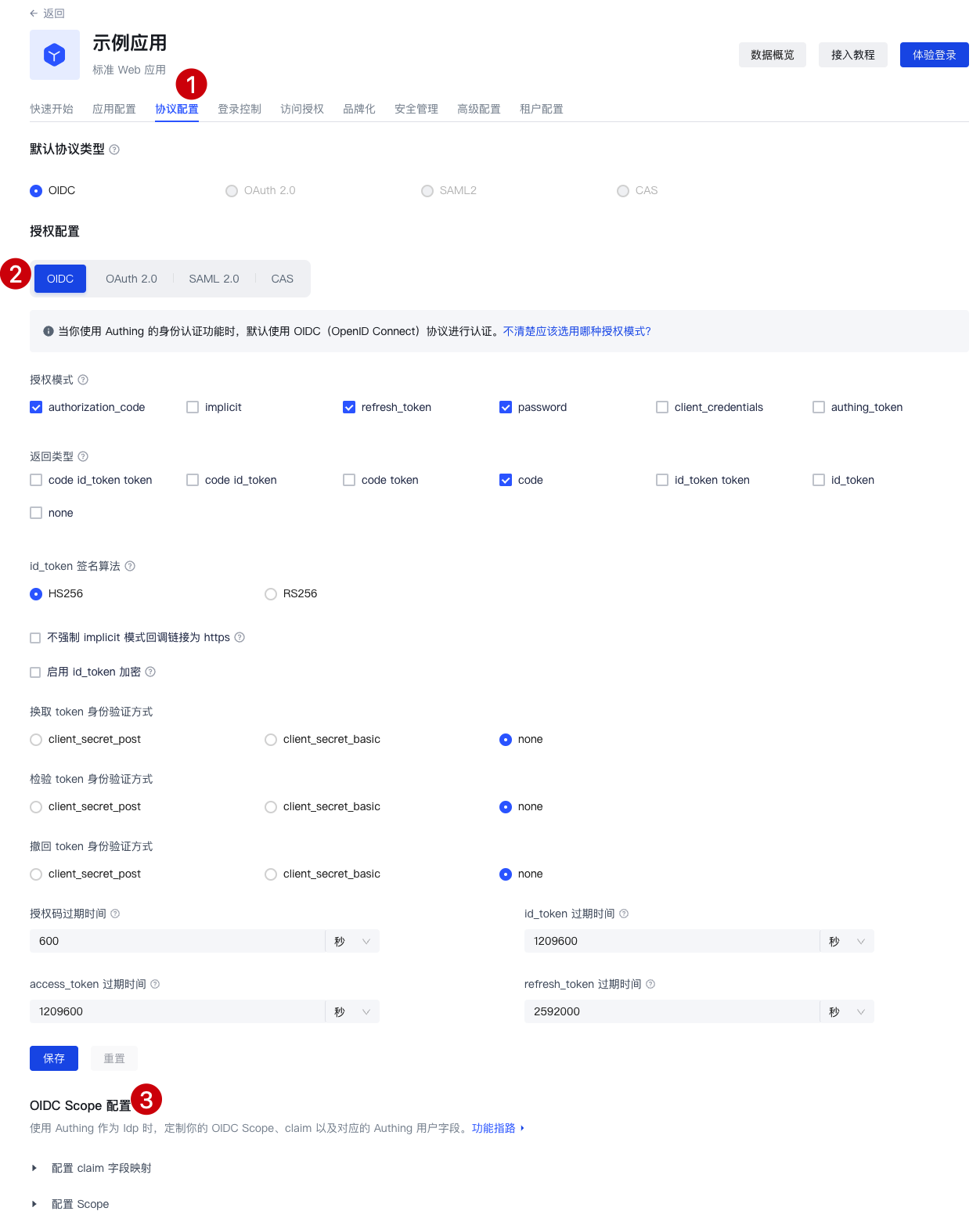
Claim Configuration
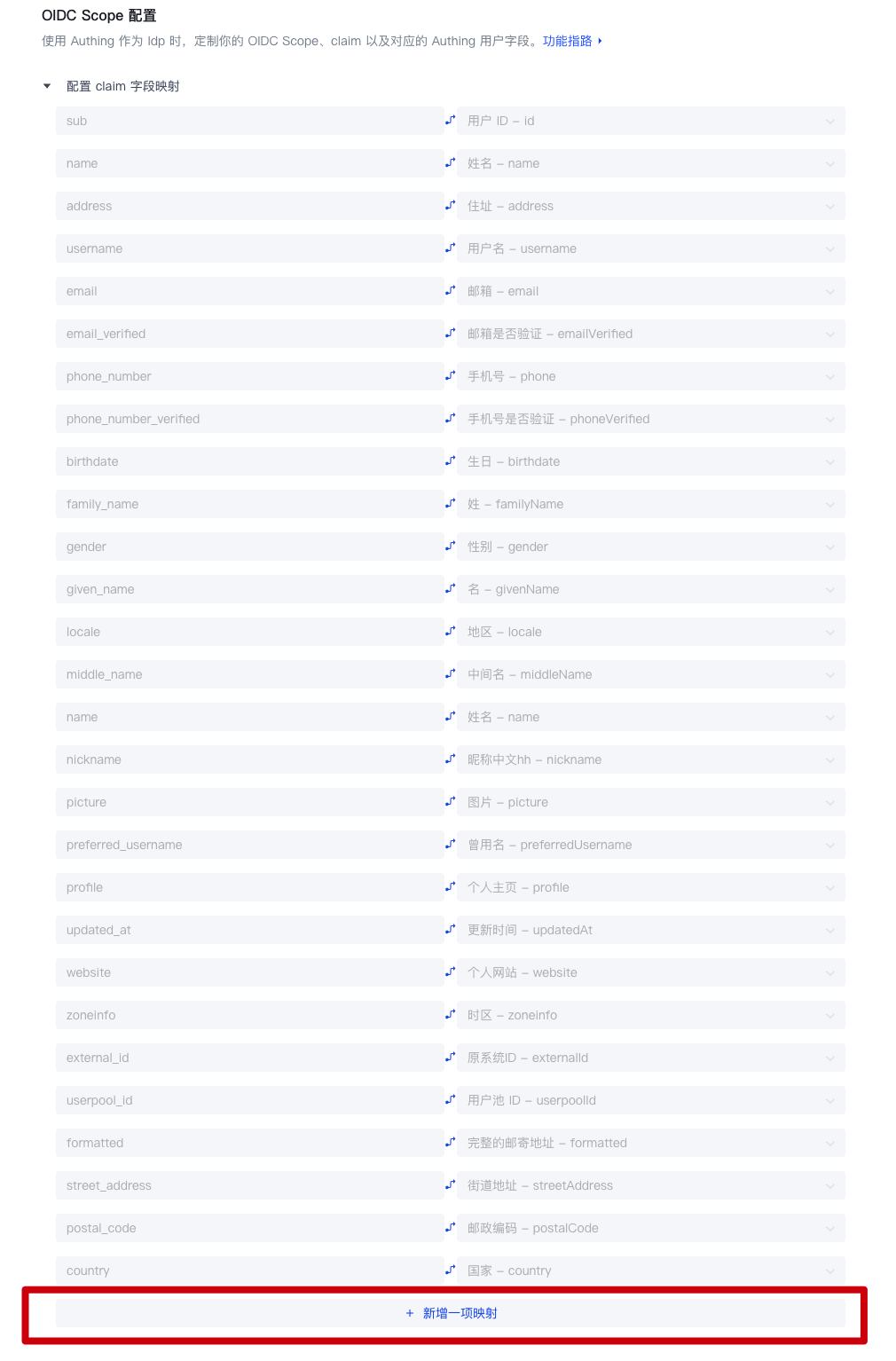
Default Claim
| Claim Name | Mapped GenAuth User Fields |
|---|---|
| sub | userId |
| name | name |
| address | address |
| username | username |
| email_verified | emailVerified |
| phone_number | phone |
| phone_number_verified | phoneVerified |
| birthdate | birthdate |
| family_name | familyName |
| gender | gender |
| given_name | givenName |
| locale | locale |
| middle_name | middleName |
| name | name |
| nickname | nickname |
| picture | picture |
| preferred_username | preferredUsername |
| profile | profile |
| updated_at | updatedAt |
| website | website |
| zoneinfo | zoneinfo |
| external_id | externalId |
| userpool_id | userpoolId |
| formatted | formatted |
| street_address | streetAddress |
| postal_code | postalCode |
| country | country |
Custom Claim
If the above default Claim still does not meet the user fields you expect to be returned, you can create a custom Claim and customize which GenAuth user field (basic field or extended field) your Claim maps to.
Step 1: Click "Add a Mapping"
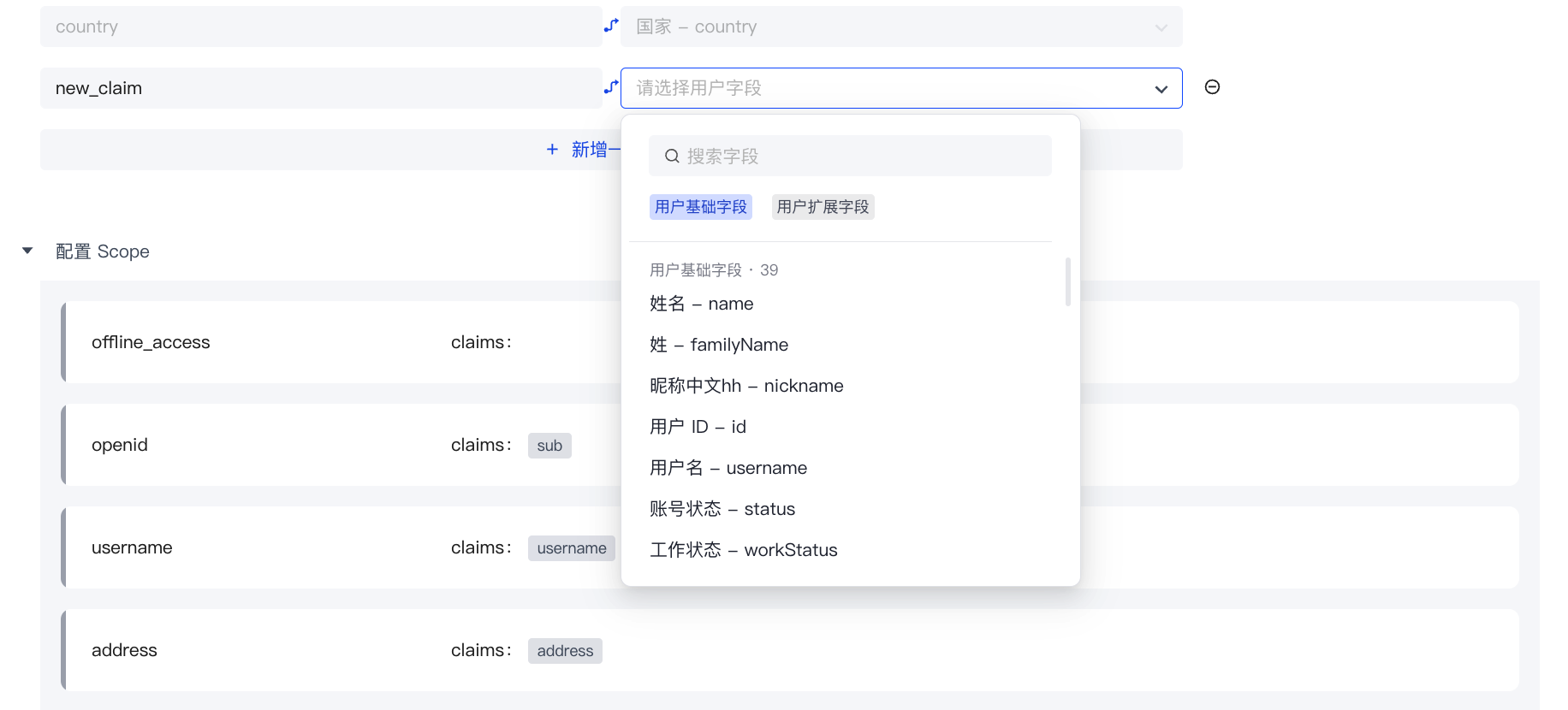
Step 2: Edit the name of your custom Claim

Step 3: Configure the GenAuth user field mapped by the custom Claim
Scope Configuration
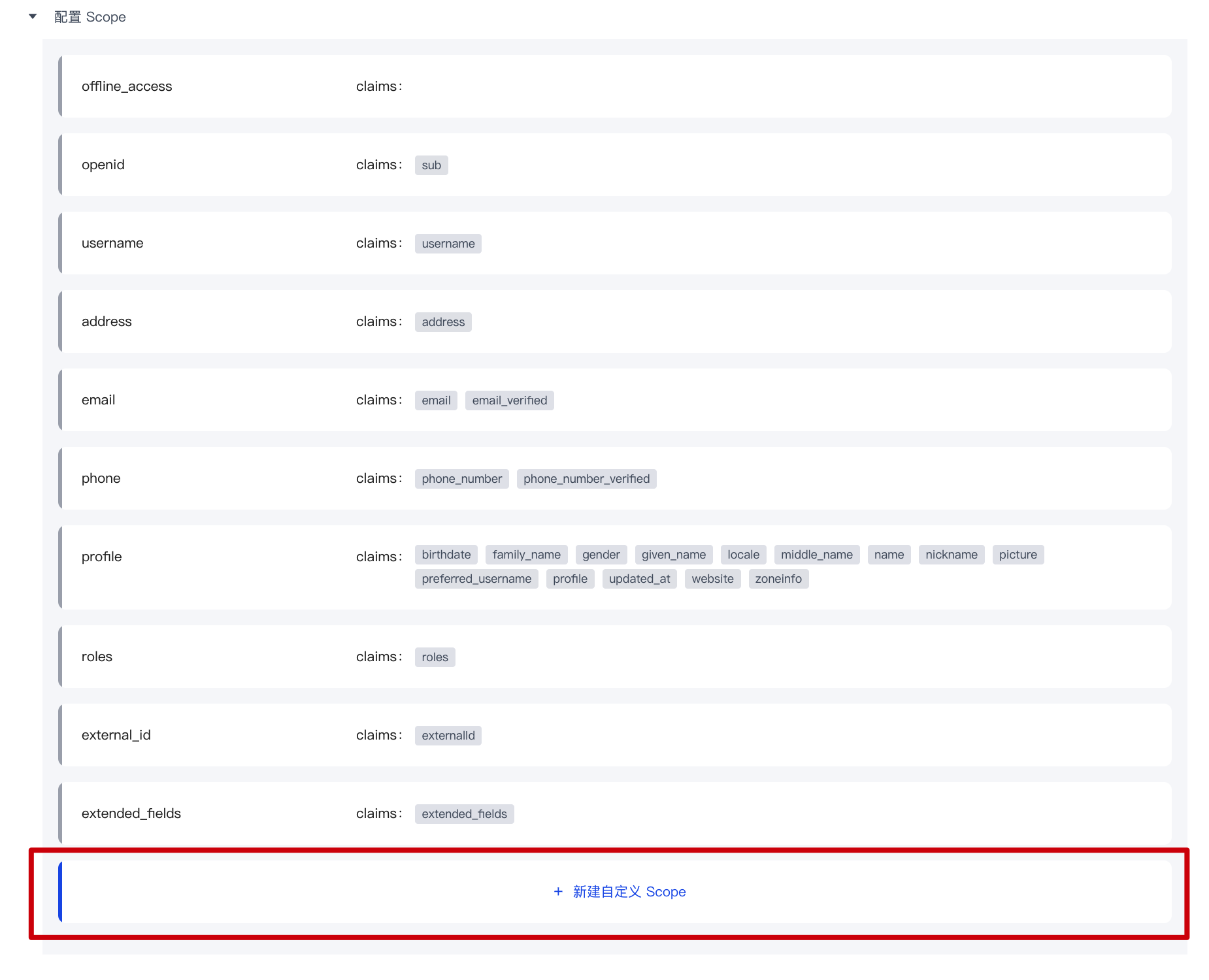
Default Scope
| Scope name | Contained claims | Description |
|---|---|---|
| offline_access | / | If this parameter exists, the token interface will return the refresh_token field |
| openid | sub | Used to store user ID |
| username | username | User name |
| address | address | User address |
| email, email_verified | User email and verification status | |
| phone | phone_number, phone_number_verified | User phone number and verification status |
| profile | birthday, family_name, gender, given_name, locale, middle_name, name, nickname, picture, preferred_username, profile, updated_at, website, zoneinfo | User details |
| roles | roles | User role list corresponding to role information |
| external_id | externalId | User ID in the original system |
| extended_fields | extended_fields | User's extended field information, the content is an object, the key is the extended field name, the value is the extended field value |
Custom Scope
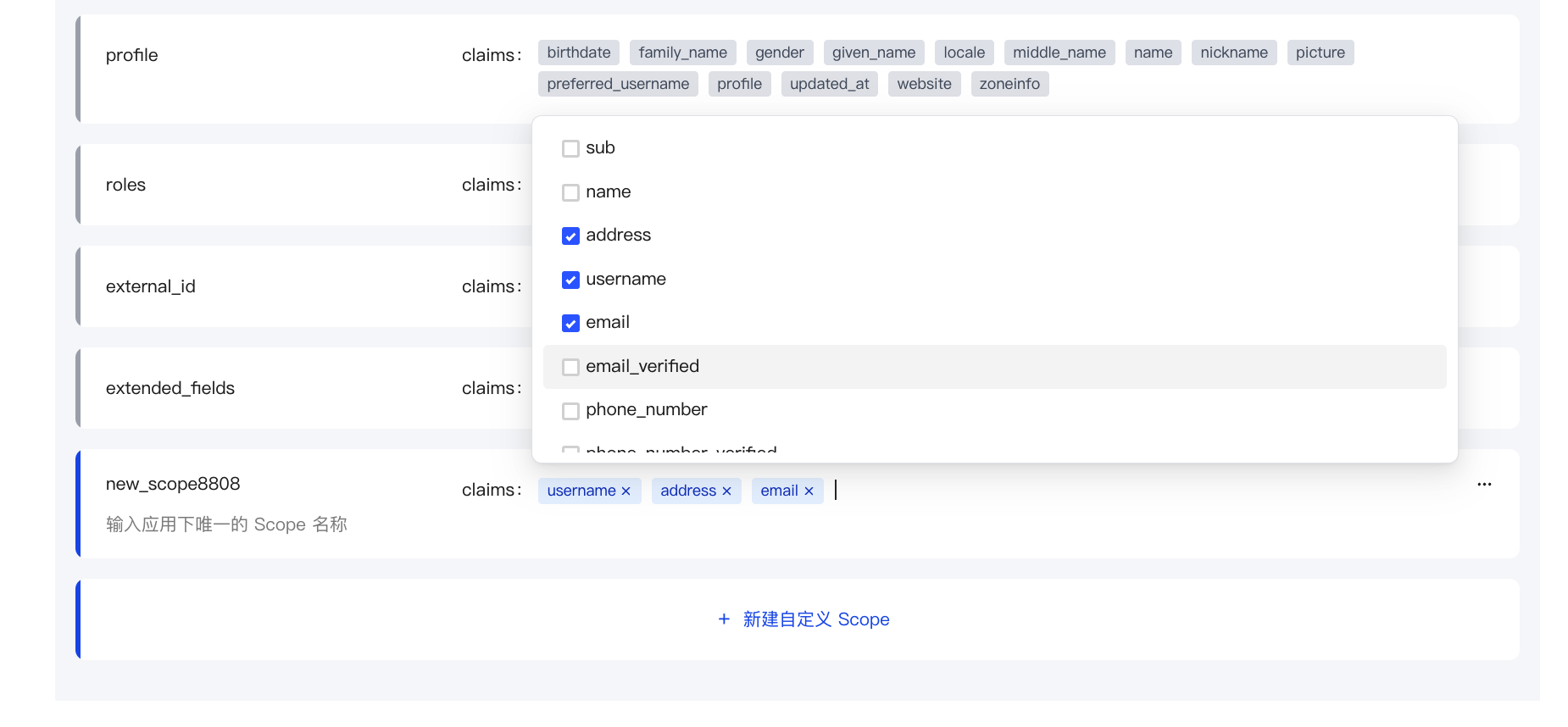
If the default scope above still does not meet the user fields you expect to be returned, you can create a custom scope and customize which claims will be included in your scope.
Step 1: Click "New Custom Scope"
Step 2: Modify the name of your custom scope

Step 3: Configure the claims included in the custom scope
Use custom scope & claim
- Use the hosted login page: GenAuth will return all preset scopes and your custom scope by default.
- Use SDK to call directly: You can freely choose to call all the scopes you have configured and the claims they contain.