
Tenant Configuration
Path: Application->Self-built Application->Application Details->Tenant Configuration
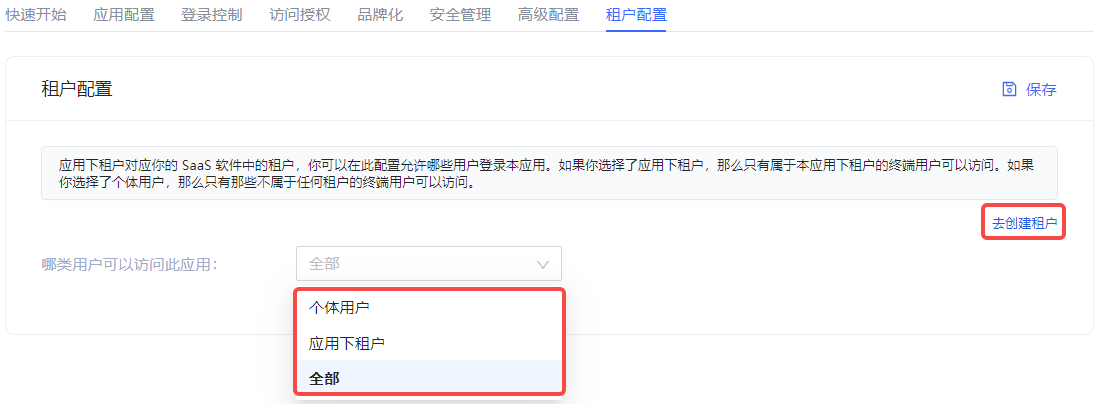
Tenants under the application correspond to tenants in your SaaS software. Administrators can configure which users are allowed to log in to the current application here: If Tenant under the application is selected, only end users under the tenant can access it. If Individual User is selected, only end users who do not belong to any tenant can access it.
GenAuth supports administrators to create tenants and provides tenant-level authentication and authorization, end-user management, login page branding and other functions for the application.
INFO
Currently, only self-built applications support multi-tenant functions.
To create a tenant, the administrator can click the Go to Create Tenant button on the right side of the Tenant Configuration tab. For details on creating tenants, see the Multi-tenant section.