
Manage Organization
Organization management includes operations such as adding sub-departments, modifying departments, deleting sub-departments, moving sub-departments, obtaining sub-department lists, adding members, deleting members, obtaining member lists, etc. GenAuth supports two operation modes: console and API & SDK.
INFO
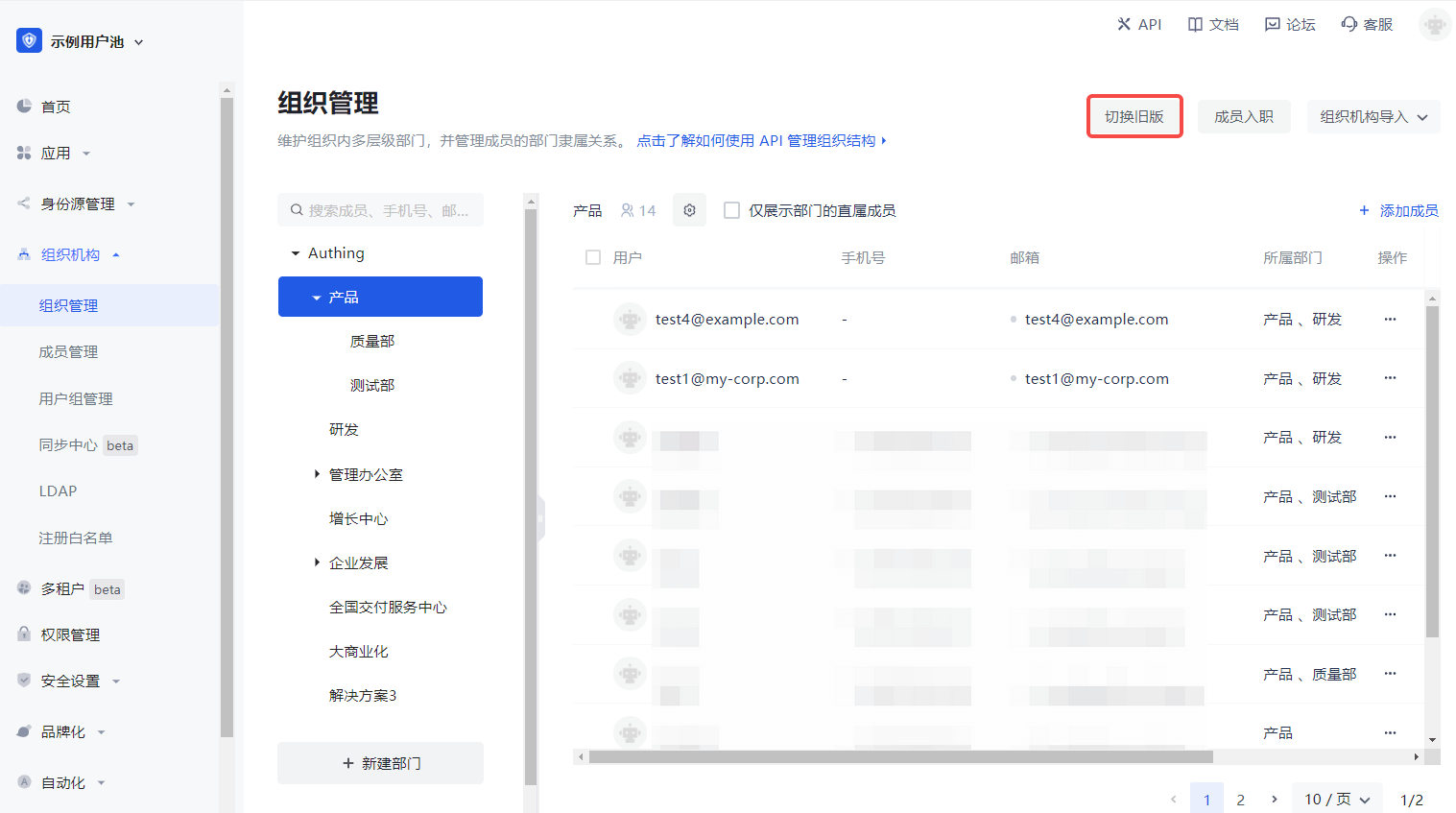
- For B2E scenarios, you can see the Organization->Organization Management menu in the left navigation bar of the console, where you can manage the organizational structure and members under the corresponding hierarchical organization. For B2B and B2C scenarios, you can manage it in User Management->Organization.
- Currently, the new and old versions of the organization function in parallel, and you can choose according to your needs. To switch between the old and new versions, you can click the Switch Old Version / Switch New Version button in the upper right corner of the page on the Organization->Organization Management page.
Add sub-department
add-nodeCode snippet: add-node
Modify department
update-nodeCode snippet: update-node
Delete sub-department
delete-nodeCode snippet: delete-node
Move sub-department
move-nodeCode snippet: move-node
Get the list of sub-departments
list-childrenCode snippet: list-children
Add members
add-memberCode snippet: add-member
Delete members
remove-memberCode snippet: remove-member
Get the list of members
list-membersCode snippet: list-members