
How to debug
This article describes how to use the GenAuth console to debug Pipeline functions.
In the previous step, we have created the first Pipeline function, and let's review the function code:
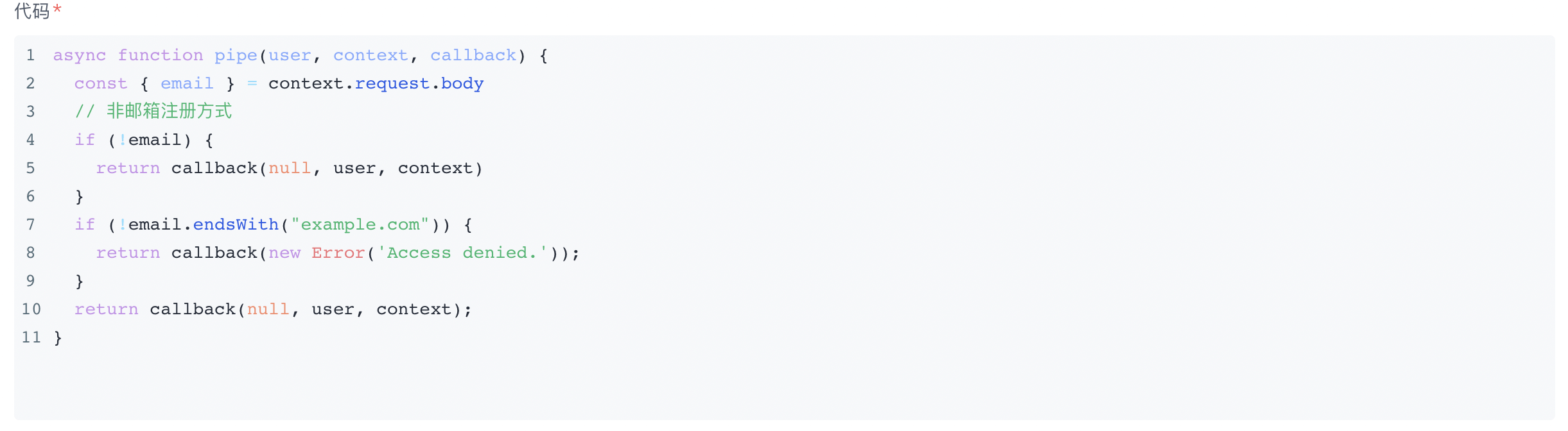
The function of this Pipeline function is to only allow email registrations with a domain suffix of example.com.
Click the debug button of the Pipeline function:
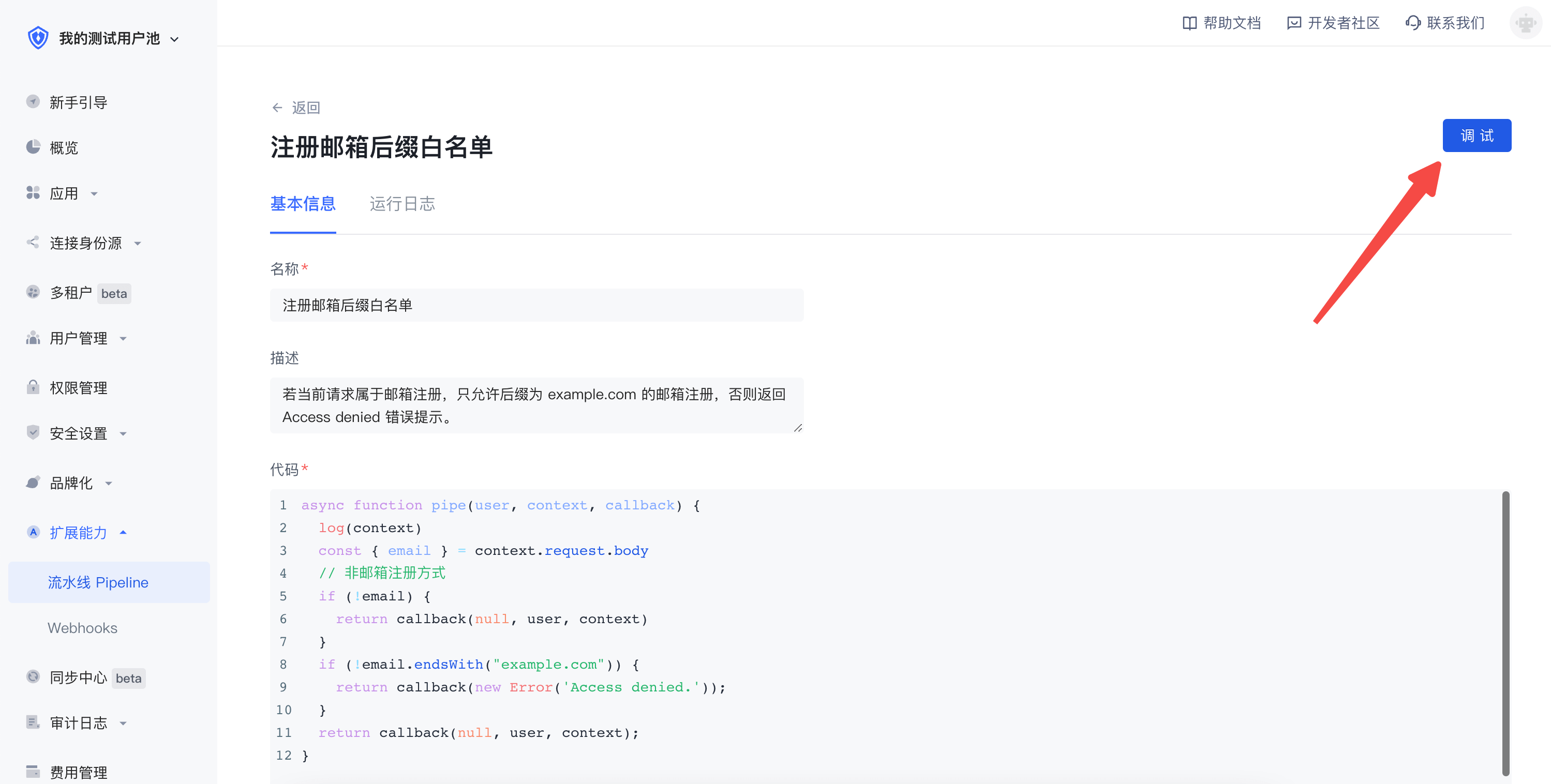
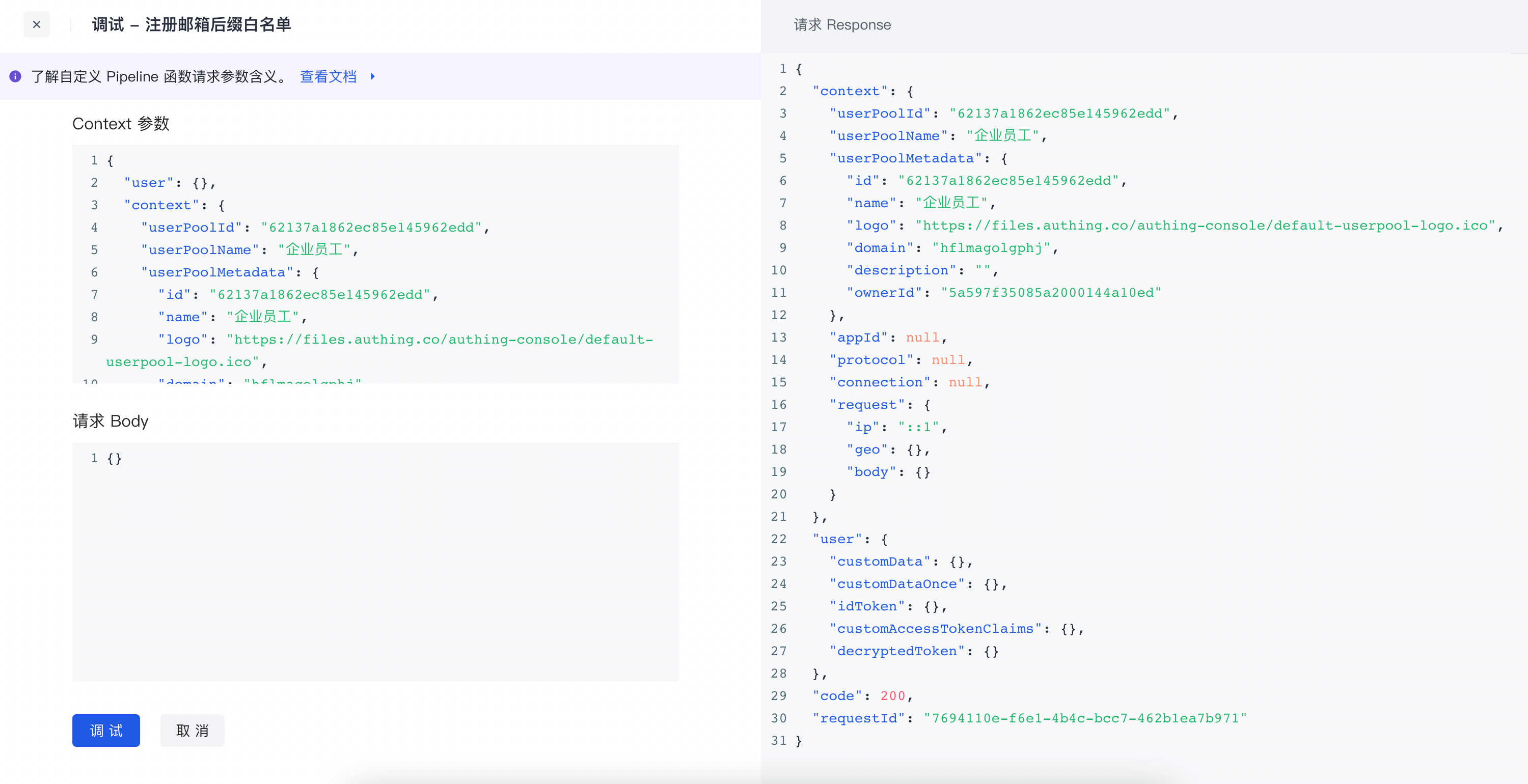
Click this button to open the debug window: GenAuth will produce corresponding test data based on your user pool.
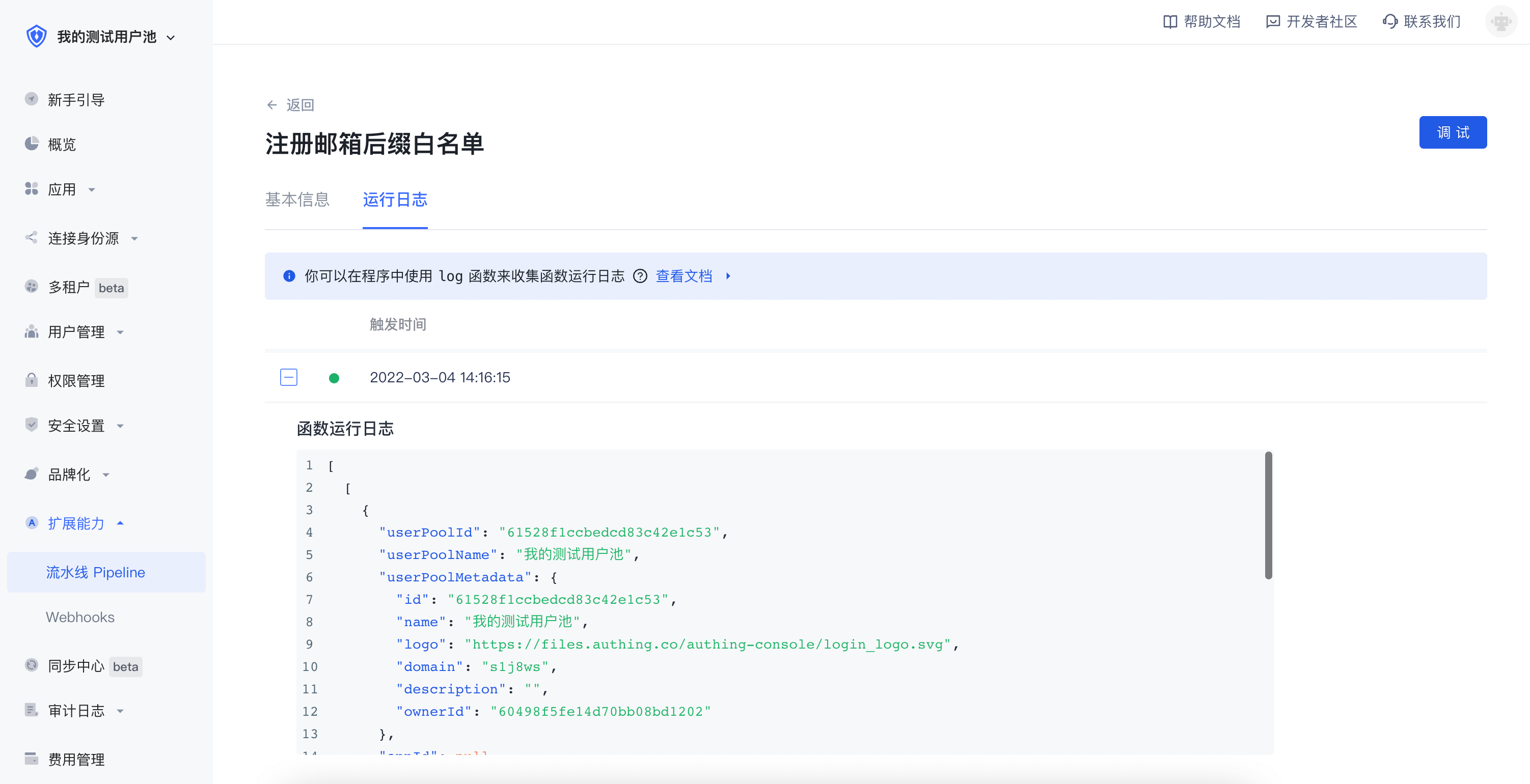
View log
WARNING
You need to use the GenAuth Pipeline global built-in function log to view the running log, not console.log!
Use the function editor to modify the code and add a line at the beginning of the function: Note that it is log, not console.log.
log(context);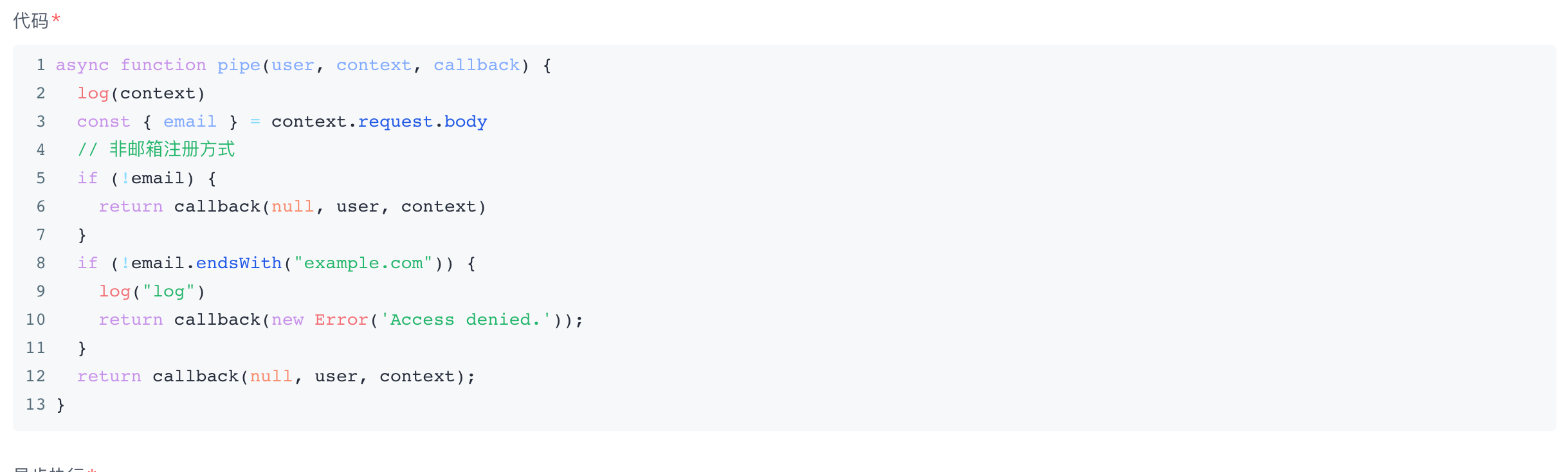
INFO
If there is no log output, please try again a few times!
INFO
We recommend that you use the debugger to debug the code before publishing this function online.